
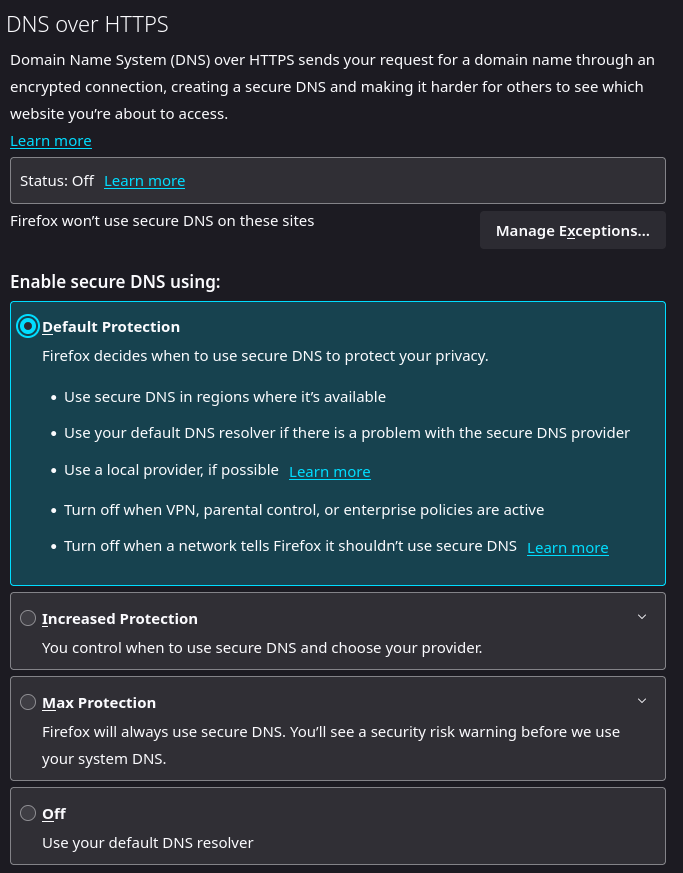
The new version of Firefox 114 has a new DNS over HTTPS security feature. Only my official Mozilla Firefox versions have been updated, and both defaulted to off (should soon show up in Linux package managers). This setting would protect you on public WiFi if you’re not using a VPN to encrypt your traffic, as DNS lookups would be encrypted with HTTPS and not sent in the clear with HTTP. I have my own Pi-Hole/Unbound servers at home and on my personal VPN server, so I’m already protected with privacy and domain, telemetry, malware, and ad site blocking. But you can enable this if you would find it beneficial to cut down on people snooping on you including your own ISP, but keep in mind the DNS server provider could be logging what sites you visit and why it’s a good idea to run your own recursive DNS resolvers which seek out the server responsible for the domain you’re visiting and caching the IP address adding even more security from DNS injection attacks.
Default setting:
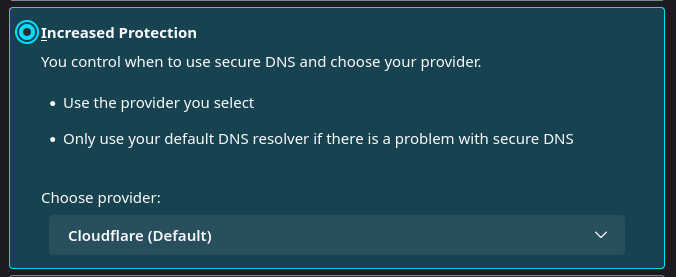
Increased Protection setting:
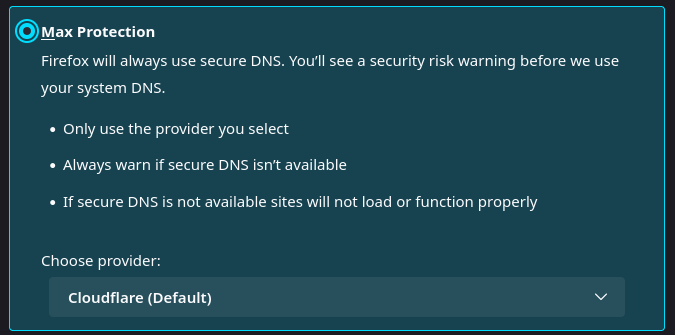
Max Protection setting:
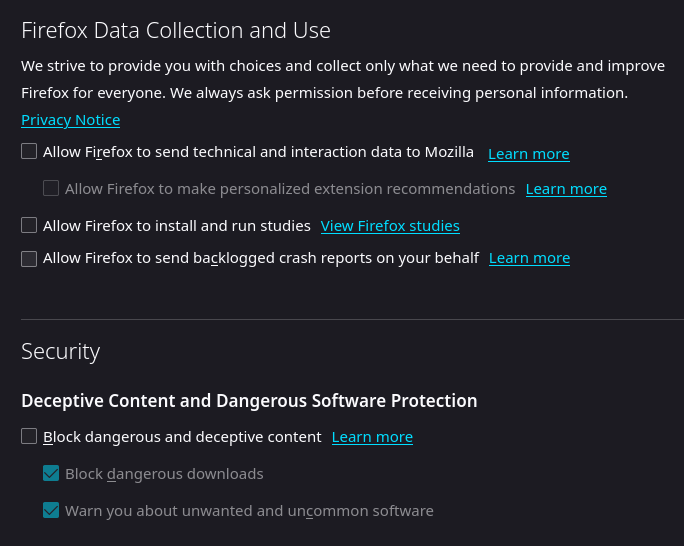
Bonus tip if you’re using Firefox, turn off telemetry and malicious site lookups if you’re already running your own block lists. I believe the malicious site lookup uses Google, so they’d have all your sites you visit with this setting even though you’re not using their Chrome browser. Also, use a privacy focused search engine that strips tracking data and masks your IP address as well for further privacy.