

This hasn’t got a lot of coverage, but CalyxOS has come back. Consequently, I just don’t want to pay Google hundreds of dollars for a Pixel device to run Graphene OS which is the privacy standard, though they’re coming out with a Motorola phone next year. And I only do basic things with my phone, some crypto wallets, music, podcasts, maps, weather radar… So I was considering Linneage OS, but seeing CalyxOS returned, they also support the same device, so I ordered an unlocked Motorola Moto G 5G 2024 phone for $127 to experiment. Consequently, with stock Android and some time you can actually disable most of the Google tracking, install apps from F-Droid instead of Google Play (keyboard, dialer, messaging…), remove your ad tracking ID, limit app permissions, kill apps running in the background… The only thing I fear is my paid apps working without the Play Store, primarily Radarscope and Ventusky. But until security updates stop on my Motorola Moto G Stylus 2023, It’s still my daily driver I only paid $19 for with Boost Mobile (great phone). Unfortunately, Boost Mobile tried to go higher end MVNO and I’ve moved to MobileX with better Verizon coverage and even better prepaid plans, but not many Android phones to buy. All that to say, you don’t have to spend a lot of money for cellular services or phones, especially to run alternative Android operating systems with much faster security updates. And I’ve included the Google Play opensource version page for microG if you need Google Play services (until such a time you need to be fully degoogled).
https://calyxos.org/news/2026/07/01/calyxos-official-release-is-back/
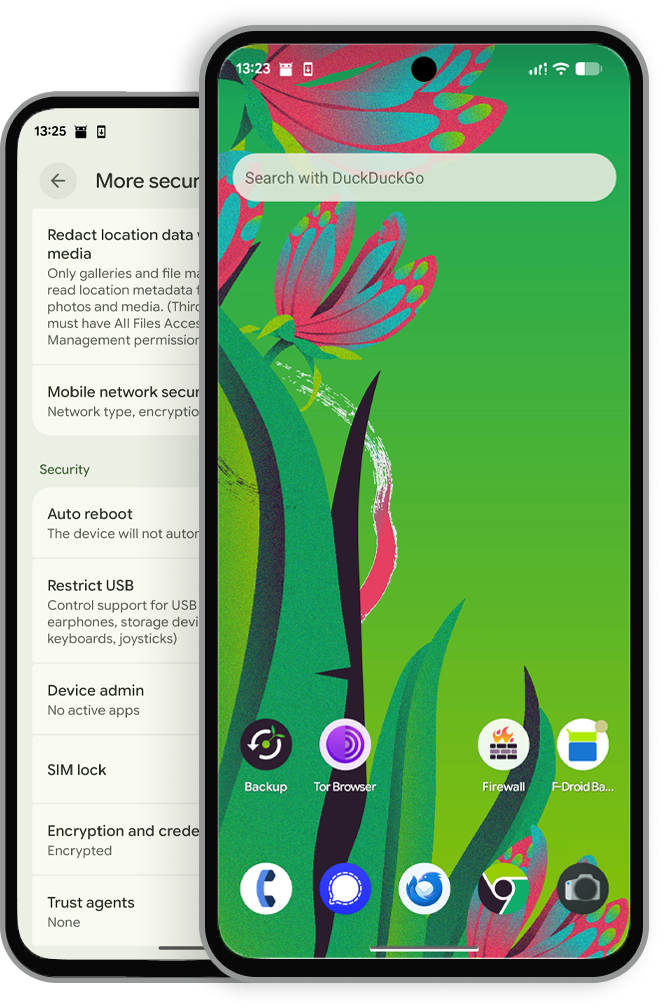
- CalyxOS 7.2.2.0 is up online. This release will receive all future updates.
- If you haven’t previously installed 7.2.1.0 (test build) and want to start or continue using CalyxOS, you need to flash your phone and install 7.2.2.0.
- With CalyxOS releases back to normal, we will continue with other backlog issues. Join the Matrix channel for our progress and user support.
Dear CalyxOS community members, we are excited to share the release of CalyxOS 7.2.2.0. This means CalyxOS is officially back from the hiatus! It has been an enduring journey for our team to resume CalyxOS releases, and we deeply appreciate all the support and solidarity we received from you along this journey, especially the latest voluntary testing you did with us. Below we are sharing some important notes for anyone planning to install or reinstall CalyxOS, along with our next steps as we work through a large backlog of issues.
Pro tips for installing CalyxOS 7.2.2.0
If you are currently using an old CalyxOS release (6.10.10/20 or older) or any other Android OS, you will need to do a clean install of this latest CalyxOS release on your phone. Once you are done, all future updates will be automatically sent and installed over the air (OTA).
To get started, visit our installation page, select the device model you want, and follow the different installation options to get the relevant guide and downloadable files you need.
Tools that can aid your installation:
- Seedvault: can be used to backup and restore your data from other custom ROMs, including CalyxOS 6.10.10/20 and older releases.
- CalyxOS Web Installer: each device-specific installation page offers multiple options to install CalyxOS. We recommend that you choose the Web Installer if it is available for your device. This is our web-based, step-by-step installation wizard to ease your installation process. Right now, the Web Installer only works for Pixel and Motorola devices. We hope to make it available for other supported devices in the future.
- Device flasher: this works for all devices on Windows and Linux. If you cannot use the Web Installer, you can download the command line device flasher tool matching your desktop operating system. Simply choose the Windows or Linux options on the device-specific installation page.
Please be aware, each installation method has different requirements. To avoid issues that could result in failed flashing or a bricked device, carefully read our notes on top of the installation page.
If you have previously installed CalyxOS 7.2.1.0 (test build), you will get 7.2.2.0 as an OTA update. No further action required to receive future updates.
What to know about CalyxOS 7.2.2.0
With this release, we are pleased to announce that CalyxOS has started supporting the SHIFTphone 8. You can find the full list of supported devices in our user documentation.
As mentioned in the test build release, we have updated the bundled apps in the Setup Wizard and made a few temporary feature changes. We welcome any feedback about your experience. Here is a list of open issues in case you run into the same problem.
Our work so far
CalyxOS 7.2.2.0 is signed by us using a new HSM-based, open-source signing solution we designed to enhance the security of the entire signing process, ensure redundancy, and remove single points of failure. You can verify CalyxOS 7.2.2.0 and future builds following these instructions. For anyone who is interested, the security audit report of the HSM provisioning ceremony script can be found here.
In addition, we also went through significant infrastructure improvements. In particular, we have set up a cleaner server structure to streamline each release. In response to Google’s less frequent AOSP source code releases, our team developed scripts to reduce the overhead in applying monthly patches and updates. Please keep in mind, additional manual steps are still needed to compensate for AOSP changes, such as requesting and storing kernel sources with each update. Currently, our lead engineer is continuing the maintenance of the base device trees for both LineageOS and CalyxOS to bridge the gap created by the absence of Google Pixel device trees.
What next
Starting from CalyxOS 7.2.2.0, we plan to resume security and feature updates to the best of our ability. We are also working toward increasing transparency around the CalyxOS development road map through public information sharing and documentation. Our GitLab issue tracker remains the main channel to keep track of our progress and the best place where you help us keep track of issues, either bugs or feature requests.
As many of you may have been expecting, Android 17 has launched earlier this month. Our team is in the early stages of porting it to our supported devices. We will soon share a timeline for releasing CalyxOS 8 with Android 17.
Another update will be for our Matrix community channels. All of our current Matrix rooms are on older versions, resulting in bugs and security concerns. In light of these issues, we will be upgrading our Matrix rooms to version 12 about a week from now. We will also create a new Matrix Space to ease future upgrades. Current room members will receive notifications about this upgrade and migration. We apologize for any inconvenience and hope this one week notice gives everyone time to prepare.
Last but not least, we want to share some updates on our team: Aayush, our core developer working on Aurora Store, will be leaving for another opportunity. Aayush’s contributions to CalyxOS and Aurora Store have been invaluable, and we are sure he will continue to shine in his next journey. At the same time, we welcome Habib, who will be in Nat’s place to support our infrastructure needs and improvements moving forward. We are very grateful for Nat’s contributions and hard work during his time building new CalyxOS server infrastructure. He has laid a solid foundation for CalyxOS releases, which we are sure Habib will build on.
Help us improve
We can’t be more grateful for the enthusiasm you brought with all the voluntary testing on 7.2.1.0. Most of the conversations from our community happen on our Matrix channels and our main issue tracker on GitLab. We also have a subreddit and other social media accounts, listed on our community page. We look forward to meeting you there!
https://calyxos.org/docs/guide/microg/
microG
🧘 With CalyxOS, Google Services are not running in the background, continually uploading your data and location to the Google servers.
How Android usually works
When you use an Android device, the operating system is open source, but many of the apps depend on something called Google Play Services. This software is proprietary and tightly controlled by Google. Over time, Google has moved more and more parts of the open operating system into the closed Play Services.
There are many problems with Google Play Services:
- Most popular apps do not work without Play Services installed.
- Google uses Play Services to gather data on how you are using your device, including location and advertisement tracking.
- Google tightly controls which vendors are allowed to install Play Services on new devices.
microG to the rescue
microG is a open source replacement for Google Play Services (and related software), but it only includes the useful parts. Unlike Play Services, microG does not have any advertising or location tracking, for example.
Although microG is not yet a mature replacement for Play Services, the early results with microG are impressive. Most apps are able to run fine with microG without any need for Play Services.
Features of microG:
- Reduces battery, memory, and CPU usage.
- Allows you to opt-in to specific Google Services if you want.
- Location: typically, an Android device will use WiFi and cell-tower data from Google to help determine precise location. microG does this without using Google, and without reporting your location to Google.
- Notification: most chat apps depend on Play Services to be alerted when a new message should be delivered to the user. microG allows your device to use this service from Google without the full Play Services installation.
You can check the microG wiki to see the current status of which parts of Play Services have been implemented in microG.
Options for running microG in CalyxOS
With CalyxOS, you have four options:
1. microG disabled
You can choose to disable microG when setting up the device for the first time.
This is the 100% de-Googled mode with no attempt to make apps work that expect Google services. You will receive no “push notification” using the Google infrastructure. Many apps refuse to run, however some apps such as Google Camera still work. Some apps will consume more battery without push notifications from Google. The presence of microG, even when disabled, will allow some apps to work that would not otherwise.
2. microG enabled, no Google Account, push notifications disabled
In this mode, microG is used to implement some common functionality (such as maps inside some applications) to make many apps work, but in a way that does not send any information to Google. In some case (e.g. location), privacy-respecting services are used in place of Google services.
3. microG enabled, no Google Account, push notifications enabled (default)
This is the default and recommended option.
This is identical to the above option, with one minor change. Google services are used semi-anonymously (not tied to a user identity) to provide push notification functionality for many apps. This sends much less information to Google.
4. microG enabled, with a Google Account
With microG enabled, you have the option to configure it with a Google account. This will allow some additional apps and services to work, such as Google Fi, but you are no longer semi-anonymous with respect to Google services.
microG FAQ
How does microG use mtalk.google.com?
The domain mtalk.google.com is used by microG to receive push notifications for the device. For example, Signal uses these push notifications to know when to fetch new messages from the Signal server. The alternative to using the push notification system from Google is for every app to continually check with the server for new events, which is slower and can lead to rapid battery drain.
Some apps, like Signal, are careful to never put any sensitive information in the push notification. In this case, the only information that is leaked to Google is the time when you received a message, but not whom the message was from or what the message contained. Other apps might put actual message content or metadata in the notification, potentially leaking this information to Google.
If you don’t have a Google account configured in microG, then this connection is semi-anonymous (see Unique Identifiers for more information). If you have configured a Google account with microG, then your account information is associated with each push notification.
Is using microG a privacy risk?
We think of the way we have implemented microG as a ‘harm reduction’ approach: it is not 100% perfect privacy, but it is very good and still affords a solid user experience.
- microG disabled: No information is sent to any server.
- microG enabled: Your IP address and device model information is sent to Google (see Unique Identifiers) when microG first registers itself with Google. Similar information may be sent for location services depending on your settings, (see Location Privacy). Google’s Advertising ID is completely disabled. Your device will receive push notifications from Google servers.
- microG enabled, with a Google Account: Your Google Account name is sent to Google when microG first register itself with Google services.
What is stock Android like in comparison? Everything is tracked. In one study, stock Android phones sent location data to Google 340 times during a 24-hour period. Another study from University of Edinburgh showed that even right out of the box, a typical stock Android device sends a high degree of information to numerous data brokers.
Is microG a security risk in CalyxOS because it requires signature spoofing?
The short answer: No.
The long answer: microG does indeed require something called ‘signature spoofing’. This is the ability for one program to impersonate the code signature of another. This is needed by microG in order to impersonate Google Play Services (because most apps embed the part of Play Services in the app itself). The standard microG patch for Android to support signature spoofing simply allows it in a free-for-all style. We have instead severely controlled the scope so that it’s only allowed for one signature, for one program, microG.
For more technical information, see microG.