

Cake Wallet has a wonderful way of handling Silent Payments on Bitcoin if you have your own Bitcoin node with Electrs, but not a version that supports Silent Payments, which I need to investigate further. Cake Wallet keeps using your node for normal Bitcoin transactions, but uses the Cake Wallet node to scan for any silent payments until you add a version of Electrs that supports the tweaks index. The Cake Wallet also supports Spark for Lightning transactions, which is the same thing being used by BitBoxApp on Mobile now that Liquid Bitcoin has crashed and burned. As I was playing with the Cake Wallet today, I’ve been impressed by how they handle a few things and was going to experiment with their Zcash support to understand better their public verses private transactions. Though I may wait for the Zcash pump to run its course, as it’s currently over $1,400, and I knew I should have bought one when it was $500 and due for the suits behind the project to pump it again. Beyond the pump and dump profiting, it’s also an attack on the truly private Monero blockchain.
Which server does your scanning? Silent Payments scanning needs an Electrum server that serves the silent-payments
tweaksindex — in practice anelectrsbuild with tweak support. When a scan starts, Cake Wallet asks the node you currently have selected whether it can serve that data:
- It can — the scan runs against your own node.
- It cannot — the scan runs against Cake Wallet’s own server,
electrs.cakewallet.com:50001, instead.Two things worth knowing about that fallback as the app behaves today. Your node setting is not changed — the rest of the wallet keeps using your selected node.
So if you run your own node specifically for privacy, confirm it is a tweak-capable
electrsbuild and that your wallet is connected to it. Otherwise your Silent Payments scanni
https://docs.cakewallet.com/features/privacy-and-security/silent-payments
Silent Payments
Say goodbye to “send me a new address.” A Silent Payment address is a single Bitcoin address — starting with sp1 — that you can post anywhere: your website, social media bio, a donation page. Every payment sent to it lands at a fresh, unique address on-chain that only you can find and spend.
Why you’d want this
A normal Bitcoin address is public the moment you share it: anyone who sees it can look up every payment it ever receives. The usual fix is handing out a fresh address for every payment — fine for one-off transfers, painful for donations, tips, or anyone who pays you repeatedly.
Silent Payments remove the tradeoff. The sender’s wallet uses your sp1 address to derive a unique one-time address that only you can detect. On-chain, the payment looks like any ordinary Taproot transaction — observers can’t even tell a Silent Payment happened, and unlike older reusable-address schemes (BIP47), there’s no extra “notification” transaction leaking metadata.
Cake Wallet was the first wallet with with full Silent Payments support — both sending and receiving.
Sending to a Silent Payment address
Nothing to learn: paste an sp1... address into the Send screen like any other address. Your wallet handles the rest, and the recipient’s privacy comes free.
Receiving with Silent Payments
Find your sp1 address
Tap Receive, tap the address type under the QR code, and choose Silent Payments. This address never changes — that’s the point. Post it anywhere.
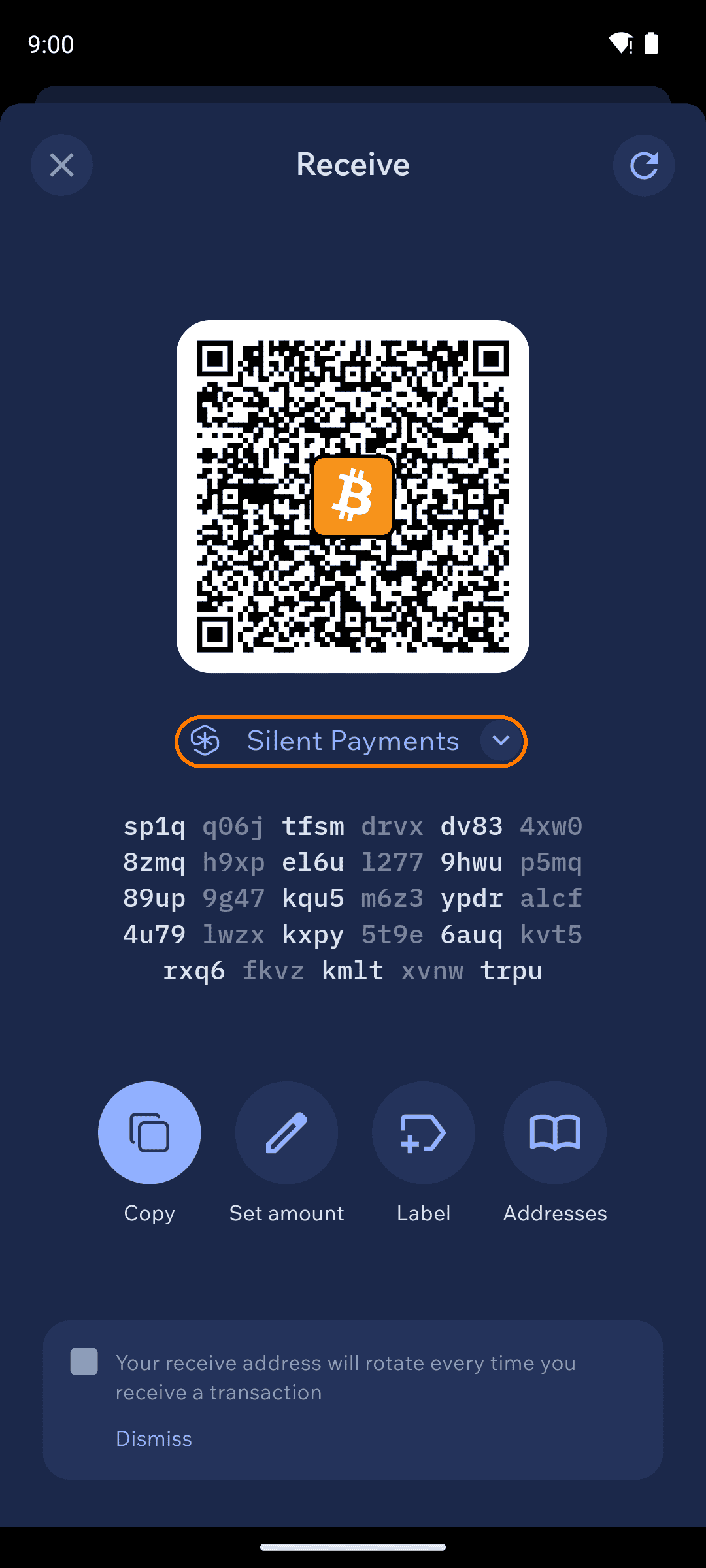
Silent Payments receive address
Turn on scanning
Because payments to you are hidden on-chain, your wallet has to scan for them. Open Settings → Privacy → Silent Payments and enable Set Silent Payments always scanning.
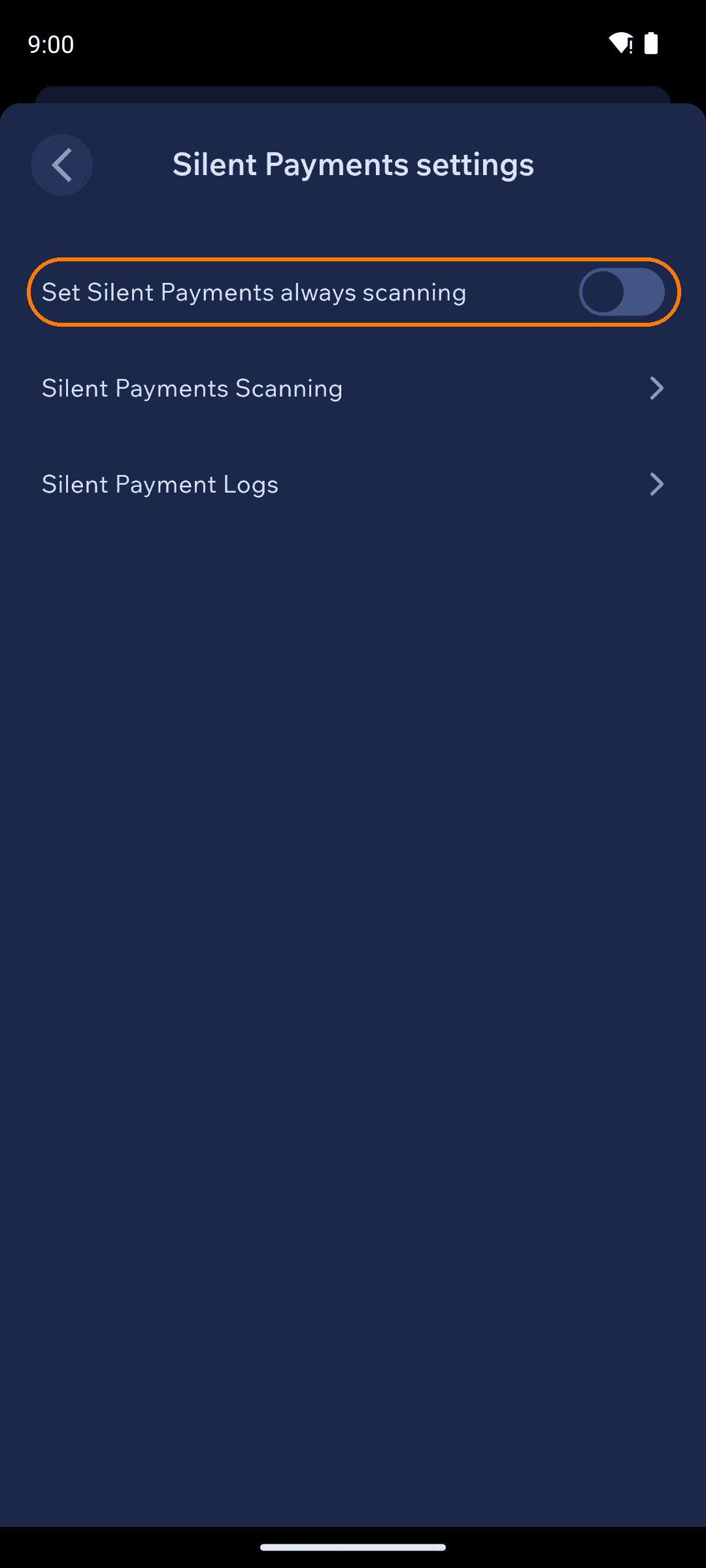
Silent Payments settings
Let it catch up
While scanning, a small amber dot shows next to the chain chips on your home screen. If you know when your first Silent Payment arrived, use Silent Payments Scanning to scan from a specific date or block height instead of the whole chain — it’s much faster.
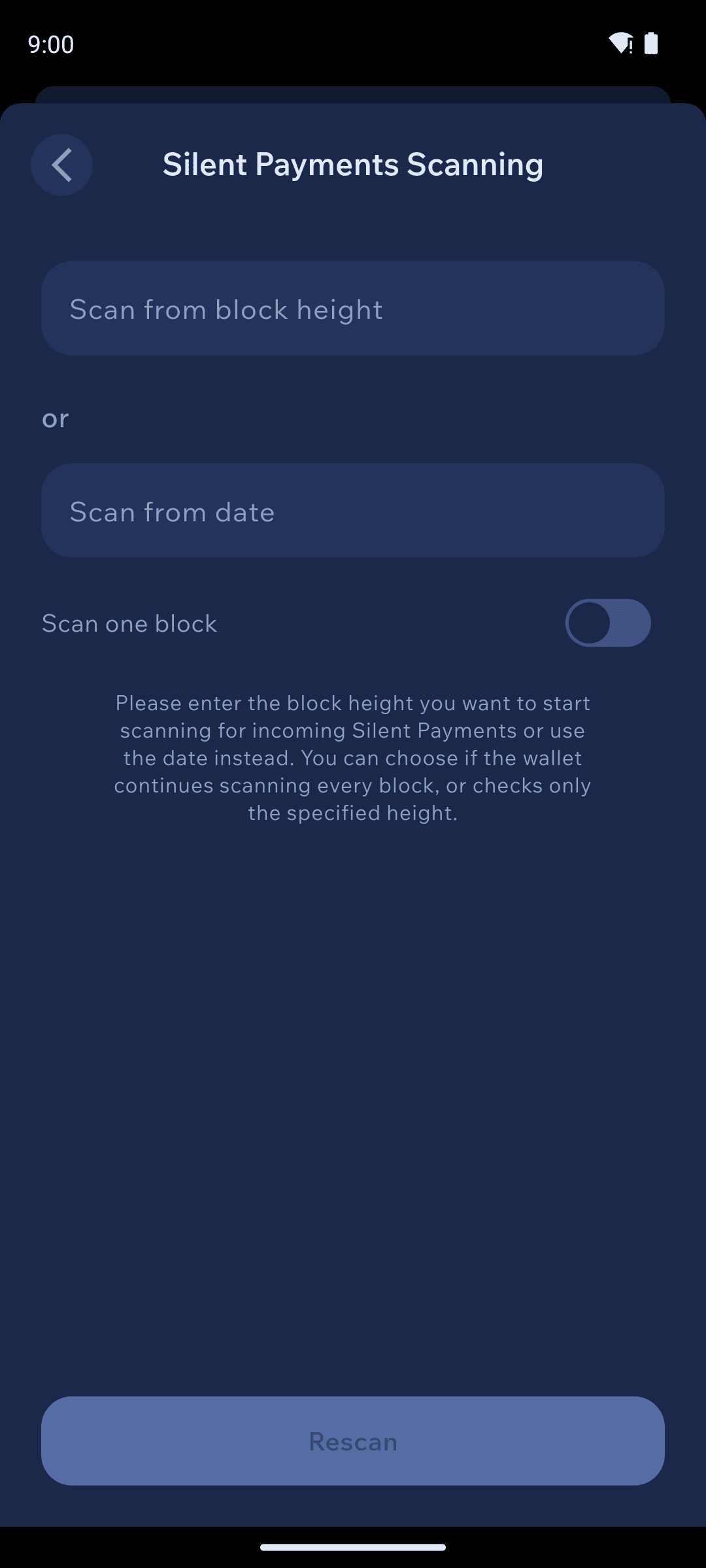
Scanning options: from height, from date, one block
The honest tradeoffs
Privacy this good has one cost: your wallet does the finding. Nobody else can detect your payments, so no server can do it for you.
- Scanning takes time. The wallet checks candidate transactions block by block. Scanning from your wallet’s creation date (rather than from the beginning) keeps this manageable, and
Scan one blocklets you check a specific block instantly. - Scanning uses battery and data while active. If you receive Silent Payments rarely, you can leave always-scanning off and enable it when you’re expecting one — payments are never lost, just not visible until you scan.
- Scanning needs a tweak-capable node, and Cake Wallet will not switch yours. If the node you have selected can’t serve the data scanning needs, the scan runs against the default Cake Wallet server instead — see the note below.
Which server does your scanning? Silent Payments scanning needs an Electrum server that serves the silent-payments tweaks index — in practice an electrs build with tweak support. When a scan starts, Cake Wallet asks the node you currently have selected whether it can serve that data:
- It can — the scan runs against your own node.
- It cannot — the scan runs against Cake Wallet’s own server,
electrs.cakewallet.com:50001, instead.
Two things worth knowing about that fallback as the app behaves today. Your node setting is not changed — the rest of the wallet keeps using your selected node.
So if you run your own node specifically for privacy, confirm it is a tweak-capable electrs build and that your wallet is connected to it. Otherwise your Silent Payments scanning traffic goes to Cake Wallet’s infrastructure to ensure Silent Payments continue to work.