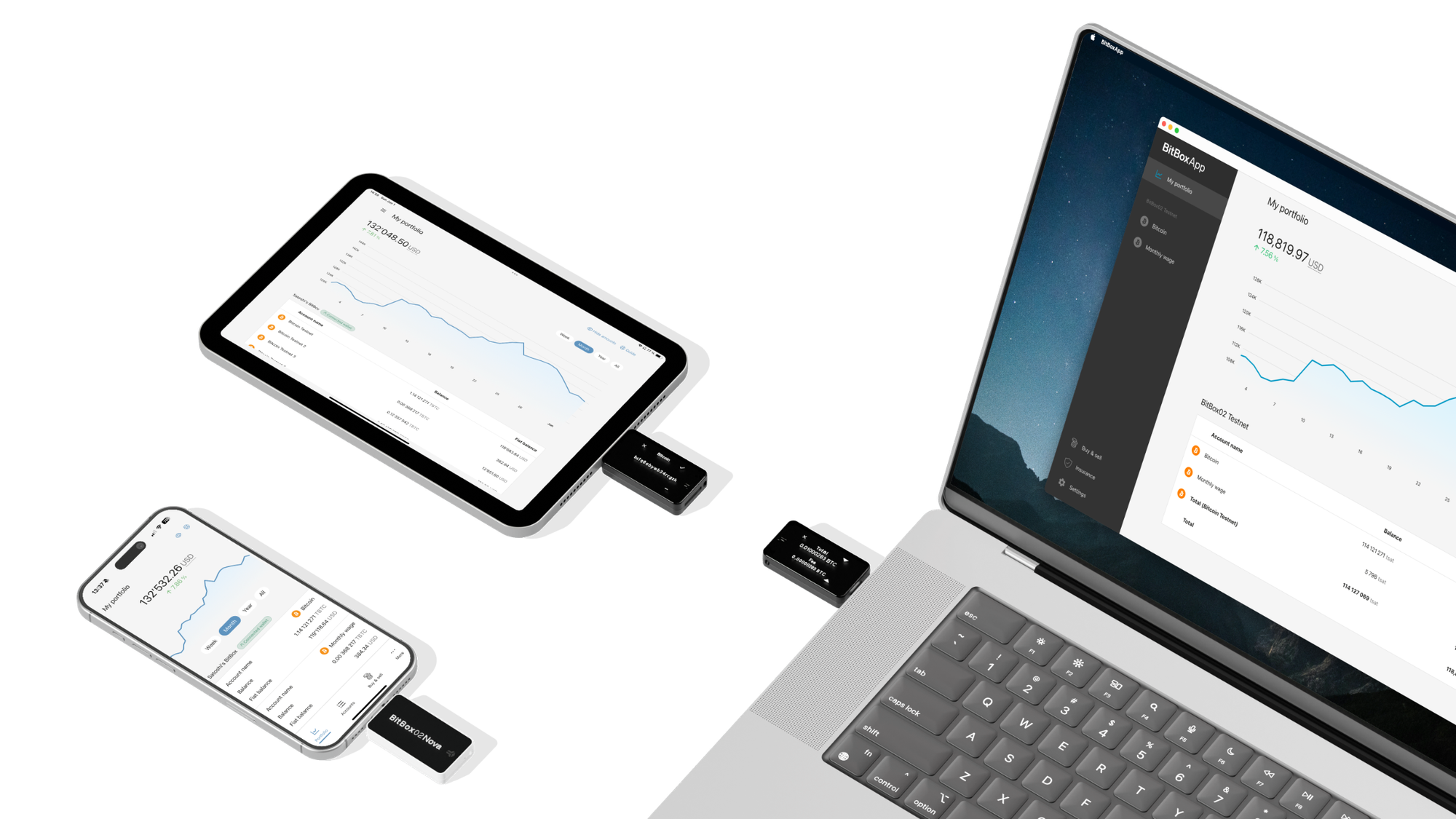

I’m posting this because of the project being opensource, both firmware and apps, and some security researchers having reported issues as disclosed and fixed per the blog post. The whole purpose of opensource is to allow others to audit and use the code, with the latter being the real motivator where security vulnerabilities are discovered and fixed. And the Bitbox Nova is a fantastic hardware wallet and great for using with a phone and taking with you due to its small size (buy the carrying case), and I have the Bitcoin only version and their apps use my personal Bitcoin node for complete privacy, as my node is also Tor only. The hardware wallet also works nicely with Sparrow Wallet as well. For the apps and ease of use, this is becoming my favorite hardware wallet.
https://blog.bitbox.swiss/en/bitbox-07-2026-oeschinen-update/
This release includes several security updates, as well as smaller improvements and bug fixes.

Get the latest BitBoxApp here: bitbox.swiss/download
This release includes several security updates, as well as other bug fixes and improvements.
Security improvements
As always, security comes first at BitBox, which is why we focused on a few security issues in this release. Some have been reported to us through our bug-bounty program by external researchers and some have been discovered and resolved internally.
The Oeschinen update released today fixes all of the security issues mentioned below and we recommend all users to install the new BitBoxApp and firmware version. None of them directly affect user funds and we have found no evidence that any of the vulnerabilities were exploited.
We would also like to thank all external researchers who helped to make the BitBox hardware wallets more secure with this release. Each contributor is mentioned together with the reported vulnerability below and they will receive a bounty if applicable.
To provide full transparency, we will list each security improvement independently and briefly explain their impact in the next sections, in case you are interested in the technical details.
What should I do to stay safe?
Update to the latest version of the BitBoxApp and install the latest firmware version on your devices. You can download the latest app version here: bitbox.swiss/download.
The new version of the BitBoxApp comes bundled with the latest firmware version 9.26.3. You can upgrade the firmware by navigating to Settings > Manage device > Firmware. Because this new version includes a bootloader update, you will see the progress bar run two times in the BitBoxApp, with a very short bootloader update sequence on the BitBox between them.
After both updates have finished, you should see firmware version 9.26.3 displayed in the BitBoxApp under Settings > Manage device.
As always, please be extra mindful of potential phishing scam attempts that may use security announcements like this one to inflict fear and uncertainty. BitBox will never ask for your recovery words and you should never enter them anywhere other than directly on your BitBox!
Buffer out-of-bounds write
The BitBox02 firmware and bootloader accepted a length value for one type of USB request without checking it against the size of the destination buffer. A malicious host device would have therefore been able to trigger an out-of-bounds write.
There was no working exploit reported along with this vulnerability, but potential control-flow impact cannot be completely ruled out for an out-of-bounds write.
This issue has now been fixed in both firmware and bootloader by enforcing the correct bounds check. Thank you to Guanxing Wen from CertiK for reporting this issue.
Self transfer text manipulation
When signing a Bitcoin output which spends to a self owned address (and is not a change output), a malicious app would have been able to use a certain output mode combination that resulted in a manipulated string being displayed on the BitBox before the actual receive address – and after the standard “This BitBox” message.
Inherently, no theft of funds is possible by exploiting this issue, since it only applies to self transfers. However, the display of the BitBox must not display arbitrary messages from the host device without appropriate labeling, which is why we are still treating it as a vulnerability.
This issue has now been fixed by rejecting this invalid combination and ensuring the displayed message matches the output that is being signed. Thank you to LoopGhost for reporting this issue.
Ethereum chain ID validation bypass
When checking the chain ID for an Ethereum EIP-712 typed message, a malicious app would have been able to provide one value during explicit user confirmation and a different value later when the message is being signed, causing a mismatch.
Note that even in such an event, the actual chain ID being signed was still shown to the user later in the signing workflow. However, such mismatches are hard to spot in the typed data, and users should be able to trust the explicit confirmation step in the signing workflow regardless.
This issue has now been fixed by binding the confirmed chain ID to the one that ends up being signed. Thank you to LoopGhost for reporting this issue.
Ethereum display line spoofing
Ethereum EIP-712 typed messages contain field names that are shown on the BitBox during signing. The firmware displayed these names without verifying whether they were valid identifiers. A malicious DApp could therefore include newline characters in a field name, making the device screen show manipulated fake lines before the actual field values.
The incremental risk for a user already interacting with malicious DApp content is bounded, but the device display must not allow untrusted field names to imitate separate signing details.
This is now fixed by validating field and type names and rejecting invalid ones. Thank you to 0xEr3n for reporting this issue.
App data access through compromised widget
The BitBoxApp embeds partner widgets to e.g. buy and sell inside the app. In the unlikely event such a widget was compromised, it would have been able to read account data inside the app.
The impact of this would be a loss of on-chain privacy, as account public keys could be read and sent to someone else. Of course, this does not affect sensitive data such as your private keys, as they are always safely stored on the BitBox – exactly because of potential issues like this.
This issue has now been fixed in the BitBoxApp, including an associated URL-whitelist parsing issue. Thank you to Gaurav Popalghat for reporting this issue.
Miscellaneous improvements
This release also contains a few smaller bug fixes and security improvements:
- Disallowed streaming for small transaction data to prevent regular ERC20 transfers from being downgraded to blind signing by a malicious app. Thank you to LoopGhost for reporting this issue.
- Added an explicit confirmation step when creating a microSD card backup on the BitBox, to make unintentional backup creations less likely.
- The BitBox now verifies backup IDs from microSD card backups independently instead of just displaying the backup IDs stored on the microSD card.
- Added an explicit warning for Cardano transactions that do not encode a network and may be valid on another Cardano network.
- Fixed a theoretical issue where certain zero-value output combinations could lead to wrong OP_RETURN metadata being displayed on the BitBox.
- Fixed a bug where disconnecting the BitBox could result in a blank screen.
- Improvements to the iOS price widget.
Don’t own a BitBox yet?
Keeping your crypto secure doesn’t have to be hard. The BitBox hardware wallets store the private keys for your cryptocurrencies offline. So you can manage your coins safely.
Both the BitBox02 Nova and the BitBox02 also come in a Bitcoin-only edition, featuring a radically focused firmware: less code means less attack surface, which further improves your security when only storing bitcoin.