

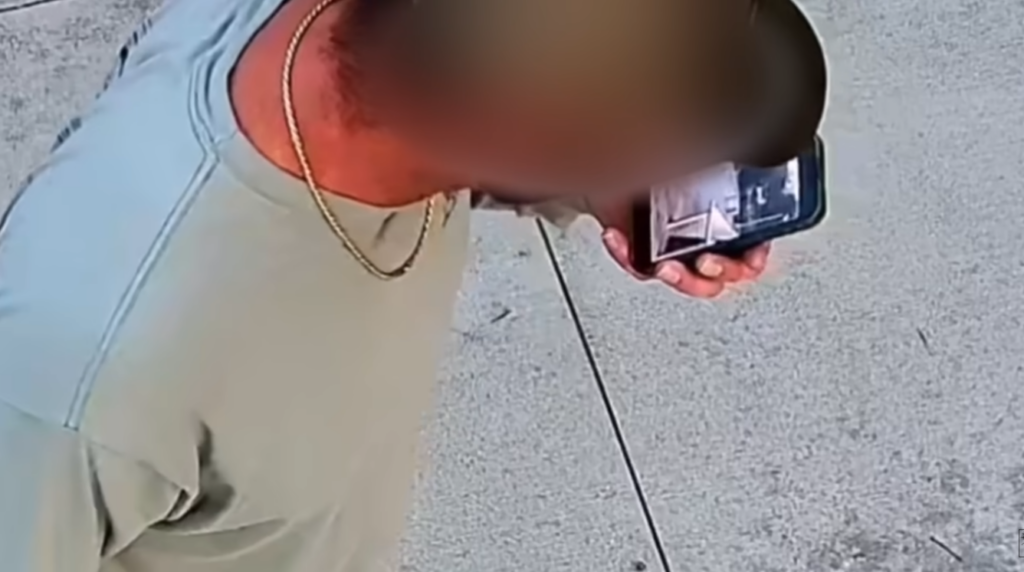
(Headline article below) This is from the OPSEC Bible on the darknet, but it’s a good thing to be aware of. Recently some Flock cameras streaming unprotected to the internet that covered a walking trail were found to zoom in on those using the trail. And as a guy was using his phone, it zoomed in enough to see his smartphone screen pretty well, so picking up PIN codes or passwords could be easy. Security cameras are increasingly saturating our environments, so you kind of have to assume you’re being recorded and doing certain things on any computer publicly is problematic. One thing you can do is to use your fingerprint to login to sensitive apps if you have to use them in public, so no PIN or password can be recorded, and maybe use the security feature to obscure balances… Or just save it for the privacy of your home and don’t install any cameras that upload to a third party cloud service.
http://opbible7nans45sg33cbyeiwqmlp5fu7lklu6jd6f3mivrjeqadco5yd.onion//opsec/shouldersurfing/
By Crabmeat
Introduction
Most people think that the only threats they face when using their computers come from online sources, and that is true in most cases. However, sometimes threats can come from your immediate environment. In some situations, the biggest threat is right behind you. This is known as shoulder surfing. It occurs when someone spies on your screen directly, either by standing physically behind you or by using a video recording device. In this blog post, we will explain the risks associated with shoulder surfing and how to prevent it.
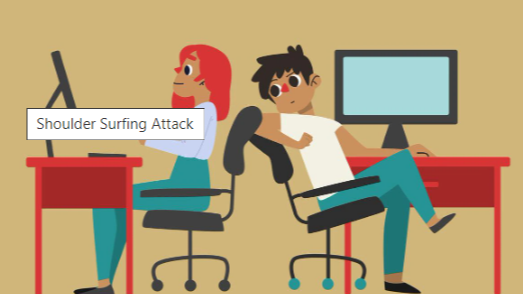
When can shoulder surfing occurs ?
Shoulder surfing is something you can encounter in many situations. Any time you use a computer, a mobile phone, or any portable device outside of a private space you fully control, you may be exposed to it. For example, on a train or a bus, in a pub or a restaurant, or even at home when you are not alone, shoulder surfing can occur. That is what makes it particularly tricky: you cannot fully trust anyone who is able to see your screen.
Moreover, you need to remain attentive to your surroundings even if no one appears to be behind you. For example, a well-placed security camera could record your screen, or a mirror behind you could allow someone in front of you to see it. Sometimes, we feel secure without having full awareness of our environment, and that is where the biggest mistakes happen. To be fair, it is very difficult to have complete knowledge of everything around you. That is why you should always assume that someone may be able to see your screen.
Here are a few examples of how you can be subject to shoulder surfing in different situations:
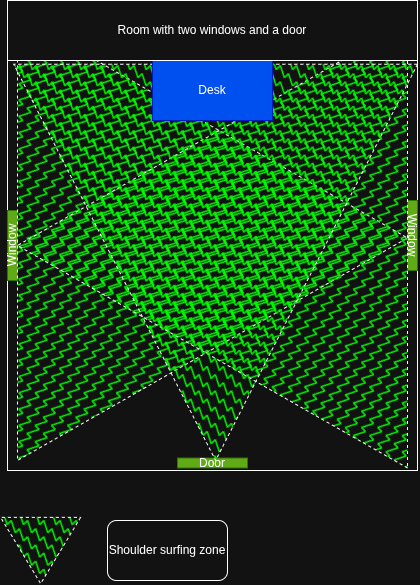
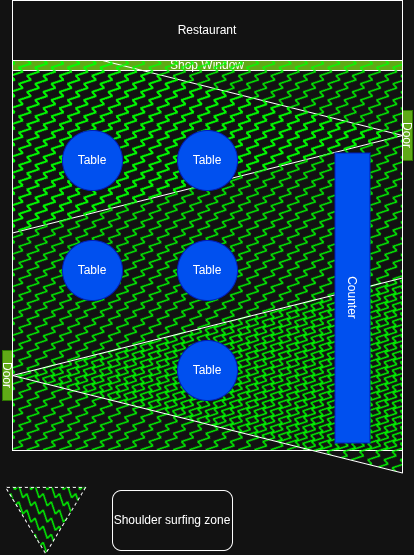
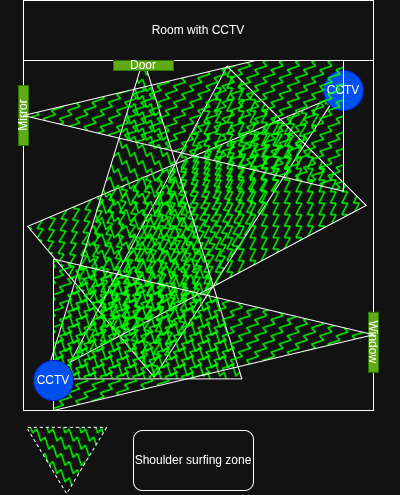
As you can see, shoulder surfing zones can be quite large in many situations, and the risk becomes even greater if you leave your device unlocked and unattended. In that case, the entire room effectively becomes a shoulder surfing zone. Remember that you cannot rely on anyone else to protect your sensitive activities. Even when people have no malicious intent, they can make mistakes that lead to exposure. For example, if a family member enters a room where you left your device unlocked and records a video of themselves to post on social media, your screen activity could be captured as well and uploaded online.
If you want a good example of this, and a bit of entertainment as well, I encourage you to watch season 3, episode 22 of Brooklyn Nine-Nine. It illustrates very well how shoulder surfing can affect you.
How to avoid shoulder surfing ?
Now that we have seen what shoulder surfing is and how it can occur, we need to discuss how to prevent it. To be honest, it is quite simple: do not perform any sensitive activities in public places. Moreover, avoid doing so in any room that you do not fully control. By fully control, I mean a room you know well, where you are certain there are no doors, windows, or reflective surfaces that would allow someone to see your screen from behind, and where you are alone.
In practice, this means doing sensitive activities at home, ideally always in the same room, while remaining aware of your surroundings. If there is no way to be out of sight of both windows and doors at the same time, lock the door and close the shutters.
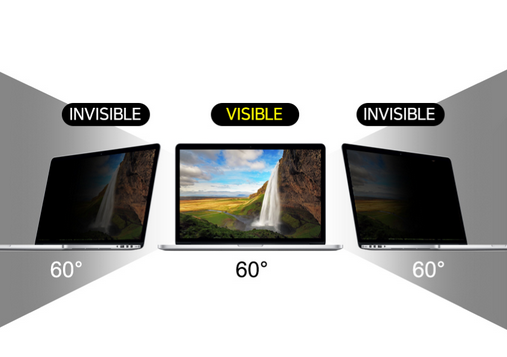
In addition, here are a few measures you can take to help prevent shoulder surfing. The first is the use of a monitor privacy screen, which is an effective way to reduce the risk. It makes your screen appear black to anyone trying to view it from the side, forcing people to be directly in front of the screen to see what is displayed.
This solution is not perfect but it can help a little bit.
Beyond physical measures, there are also configurations you can apply directly on your computer to help prevent shoulder surfing.
In addition to the tutorials I’ll share here that are based on commonly used linux versions, I will also include articles related to the Kicksecure OS, which is one of the Linux distributions you should consider using for enhanced security.
First of all, you must set a password for every user account configured on your system. In order to do that you must follow these steps:
First, go in your settings:
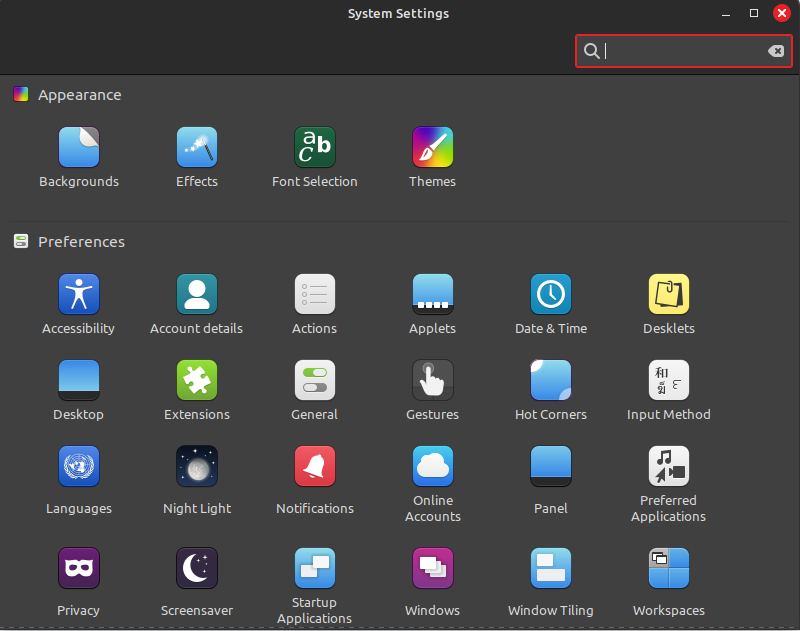
Then, search “users”:
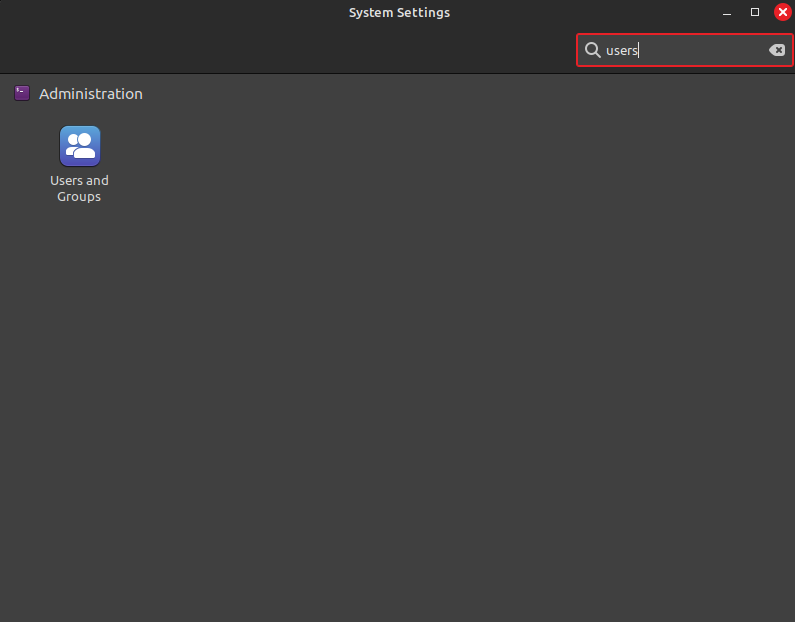
Now, set up a password for each user:
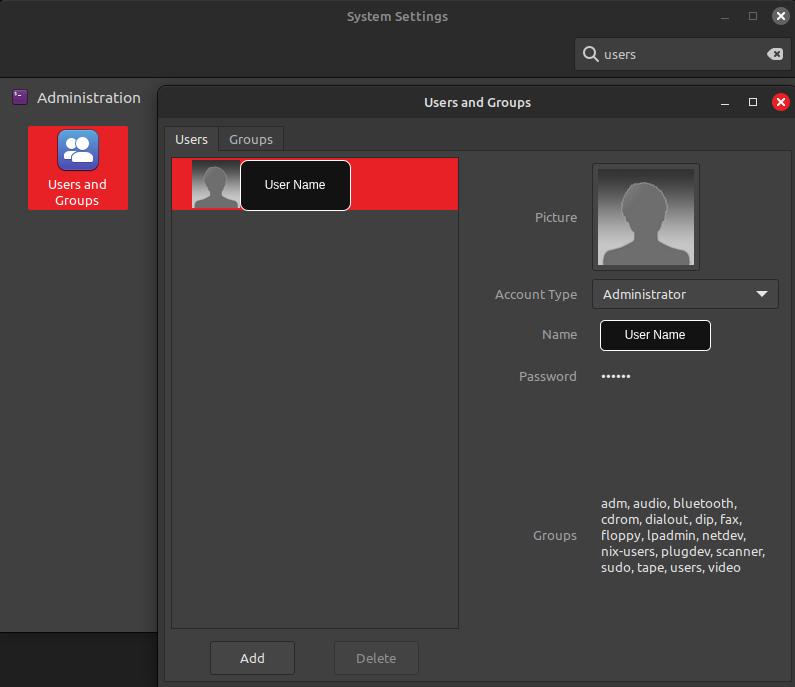
Here is a link to help you do this on Kicksecure OS.
Secondly, you must enable a lock screen shortcut on your computer. As you should already know, you need to use Linux in order to run a secure operating system. Therefore, I will explain how to do this on a Linux computer, and not on any other operating system, as they are never truly secure.
Go to your settings and search “screensaver”:
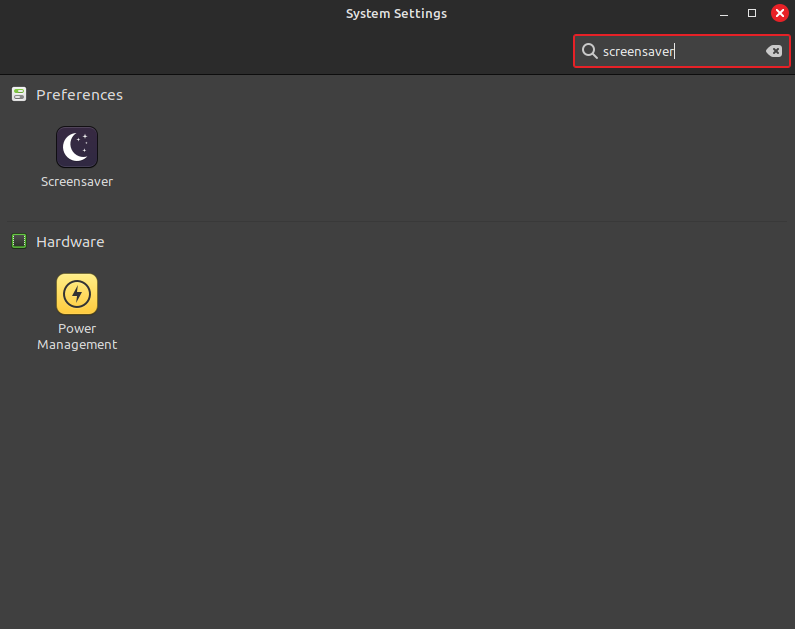
Adjust your settings (Be sure that the lock settings are on):
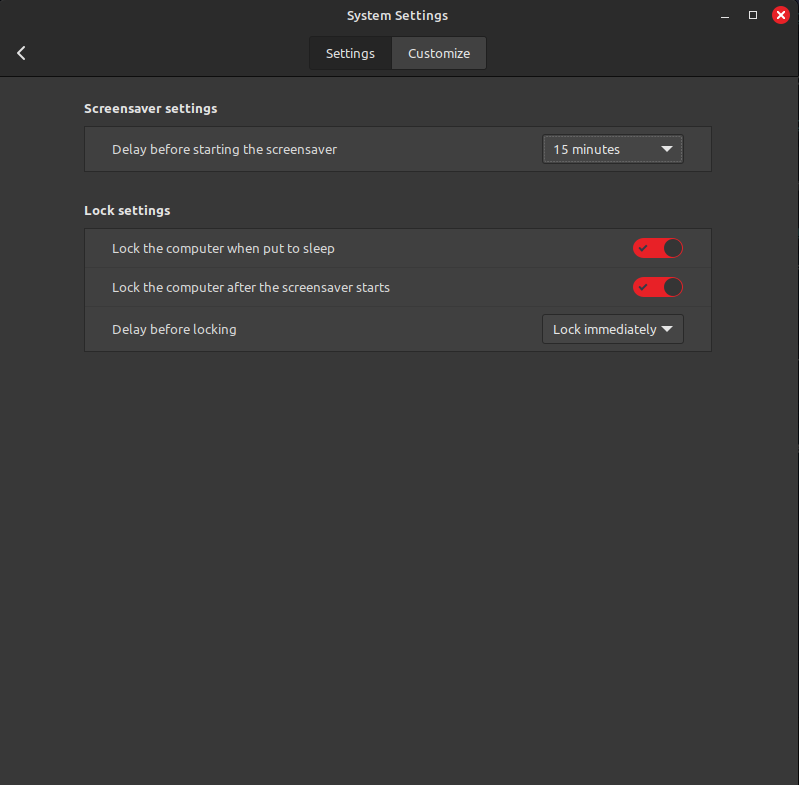
Once done, search “keyboard” in your settings:
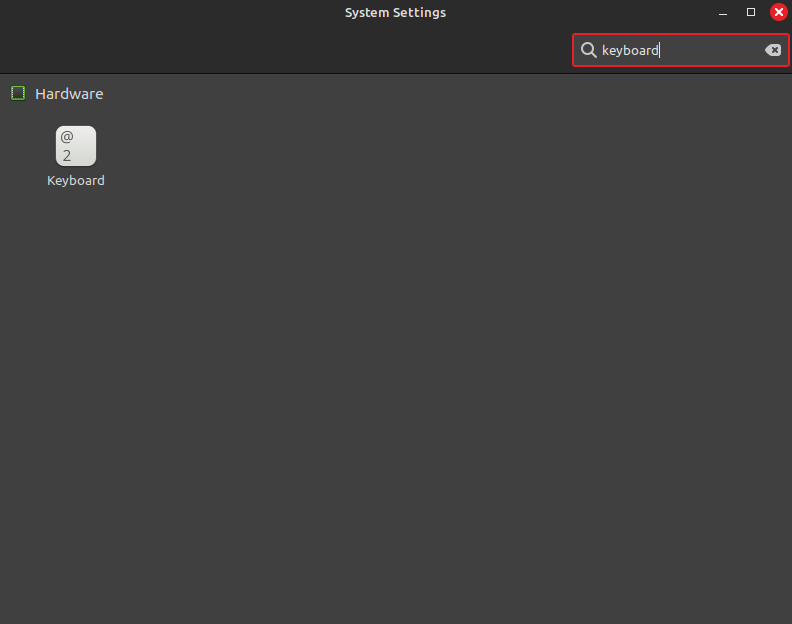
Then, in the shorcuts section, search “lock” and select “lock screen”:
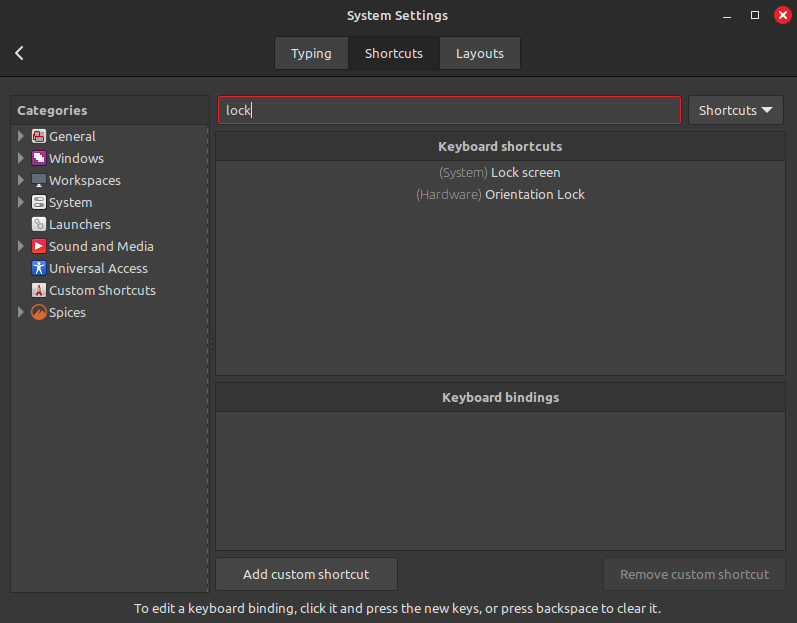
Here, you should find the shortcut dedicated to lock the screen. If not, or if the base shortcut does not fit to you, you can add one:
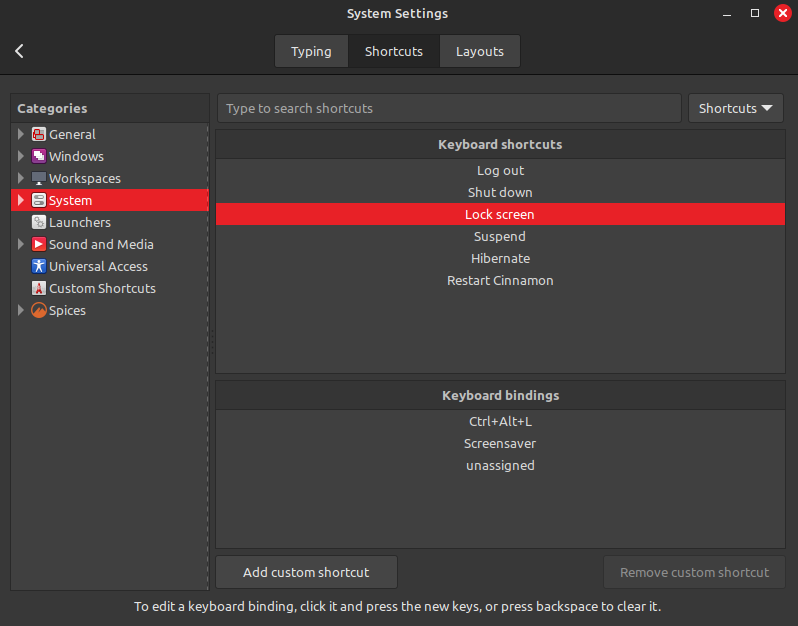
Here is a link that give you the default shortcuts on Kicksecure OS.
Once this is set up, you must lock your screen every time you leave your computer unattended. It should become a reflex to prevent shoulder surfing. Never leave your computer unlocked without your supervision.
To make your setup more secure, you should also disable automatic login. For this, you should follow the article linked here, which will guide you through the process.
Here is a link dedicated to the login configuration on Kicksecure OS.
Conclusion
As we have seen, shoulder surfing is an environmental issue that can affect you in many situations. Since you cannot be fully aware of your surroundings in most cases, there are only a few places you can truly control, you should avoid performing sensitive activities in any environment that is not fully under your control.
Even though some technical solutions exist to reduce the risk of shoulder surfing, most of the prevention relies on your behavior. That is why you must develop strong discipline on this subject. You are the solution to the shoulder surfing problem, but you are also its main vulnerability.
Crabmeat
2026-01-12
Donate XMR to the author:
89aWkJ8yabjWTDYcHYhS3ZCrNZiwurptzRZsEpuBLFpJgUfAK2aj74CPDSNZDRnRqeKNGTgrsi9LwGJiaQBQP4Yg5YtJw2U